I've decided to take the plunge...*gulp*

Thanks! I do, too.:p I like my sparkles. *hehe*

-----------------------------------------------
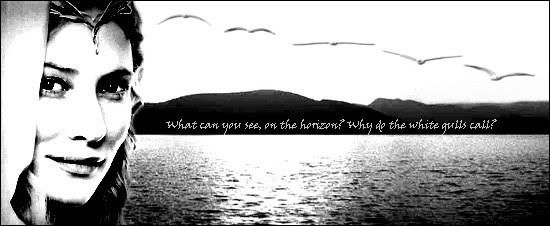
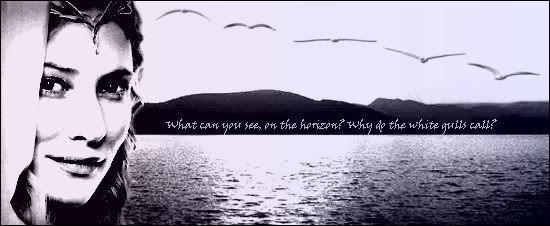
Here's something I made yesterday for anywho:

intothewestbwg.jpg


intothewest.jpg


They're identical, except one is black & white, the other has a colored gradient. :p

Very pretty!Love the gulls.
Where did you get your sparkle brush please?I'm looking for one thats compatible with GIMP.Thanks!
 
Hello
the Large
Voice.
Your graphics
are amazing.
Could you
make a banner
for me? Since,
my signature is
kind of plain.

If you could
use this
and this pictures,
and make the
pixel size
around 300x100,
with a text
of: Murtagh,
I'd be very
obliged.
 
You're welcome, snowflower.. :)

@Georgie the Valient: here are the steps to download a Photoshop filter:

1. Click the Sparkle file link to download it.
2. A window will pop up saying "Do you want to open or save this file?"
3. Click open.
4. A window will pop up with "sparkle.8bf" ...
5. To the left under "Folder Tasks", click on "Extract all files".
6. The extraction wizard will pop up.
7. To continue, click "Next".
8. Select a destination. (Files inside the ZIP archive will be extracted to the location you choose)
To do so, Browse to find where your Photobie is on the computer. (For me, it's My Computer/Local Disk (C: )/Program Files/Photobie.
9. Click on the Plugin folder in Photobie.
10. Click OK.
11. Click Next to extract the file...

etc. etc...

1. Now open up your Photobie
2. In the top menu bar, click Filter.
3. Scroll down until you see ---Photoshop 8BF Filters---
4. To the right, click on "Load/refresh filters in Plugin directory"

Now you can open an image and play around with the filter! :)

Just remember to "Load/refresh filters" each time you open Photobie...

 
oh!!!

man.
I feel like a bug, but, is there anyway, you could make like the 2nd like..kinda..sky-bluish or something, instead of pink?
 
I didn't save it as a working (layered) image, so I had to add color on top (which loses the skin/hair/eye color)..will either of these work? *gulp*

shybluegreentv7.jpg

[link]http://img486.imageshack.us/img486/1369/shybluegreentv7.jpg[/link]

shybluersa3.jpg

[link]http://img135.imageshack.us/img135/8132/shybluersa3.jpg[/link]

...
EDIT: I brightened the colors

shybluegreen2gt1.jpg

[link]http://img443.imageshack.us/img443/4429/shybluegreen2gt1.jpg[/link]

shybluer2ni7.jpg

[link]http://img404.imageshack.us/img404/8717/shybluer2ni7.jpg[/link]
 
Last edited:
You're welcome, snowflower.. :)

@Georgie the Valient: here are the steps to download a Photoshop filter:

1. Click the Sparkle file link to download it.
2. A window will pop up saying "Do you want to open or save this file?"
3. Click open.
4. A window will pop up with "sparkle.8bf" ...
5. To the left under "Folder Tasks", click on "Extract all files".
6. The extraction wizard will pop up.
7. To continue, click "Next".
8. Select a destination. (Files inside the ZIP archive will be extracted to the location you choose)
To do so, Browse to find where your Photobie is on the computer. (For me, it's My Computer/Local Disk (C: )/Program Files/Photobie.
9. Click on the Plugin folder in Photobie.
10. Click OK.
11. Click Next to extract the file...

etc. etc...

1. Now open up your Photobie
2. In the top menu bar, click Filter.
3. Scroll down until you see ---Photoshop 8BF Filters---
4. To the right, click on "Load/refresh filters in Plugin directory"

Now you can open an image and play around with the filter! :)

Just remember to "Load/refresh filters" each time you open Photobie...

Its not coming? :confused: The file's locked
 
Locked? How? Or do you mean zipped?

Hey TLV, you changed your avatar again! I just noticed... :o What's with all thees people with Aslan avatars? Honestly, if you and Ben and Tottyfruity all posted together in some thread, it would be hard to tell you apart... :D (just joking)
 
Back
Top