Rainshadow's Graphics

How are my graphics?

  • Amazing!

    Votes: 5 41.7%
  • Cool!

    Votes: 3 25.0%
  • Good!

    Votes: 2 16.7%
  • Okay.

    Votes: 2 16.7%
  • I don't care for them.

    Votes: 0 0.0%
  • They're awful!

    Votes: 0 0.0%

  • Total voters
    12

Rainshadow

New member
Hey, everyone! I've recently learned how to make graphics, thanks to Icefire, so I've decided to make my own thread for 'em. Requests are welcome, but please understand that I won't be able to make them very quickly. I'll still take requests, but don't expect them immediately.

So here are the few I've made so far, from first made to my most recent:

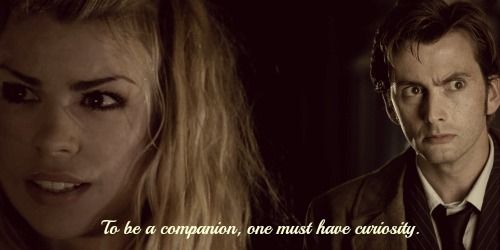
DoctorRose1a.jpg


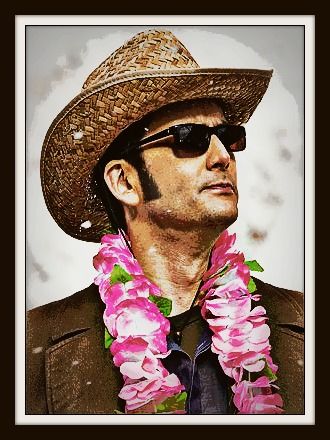
AdamYoung2_zpsa99c962d.jpg


Doctors2_zps6d2674ca.jpg


kaelyn8_zpse489684c.jpg
 
I'm adding two more to my list of completed ones, seeing as they wouldn't fit in the first post. ;)

NCIS1_zps81ca1cb1.jpg


CatandBird1_zpsefc0d06a.png


Also, feel free to use any of these graphics for a signature or an avatar. I'm totally fine with it. :)
 
They're all really cool, the one in your signature is definitely my favorite, I was admiring it. ;) I think you're already doing fantastic and the only advice I really have is thinking about word placement or adding an effect to your text, that would make this one and this one easier to read. :)
 
And just like that the student has surpassed the teacher! Good job, my friend! (I almost typed your name there! :P)
I do agree with GondorGirl with regards to the text. I ended up skipping over the one with blue text because I couldn't read it.
 
Yeah, it looked really good when I was making it, but for some reason as soon as I finished I could no longer read it. :P I'll probably be redoing that one later. ;)
 
Alrighty, so I goofed around a bit with the few that you couldn't read and such, and I made 'em a bit better. They don't look exactly the same, though, 'cause I forgot the settings I'd used. They're a bit different, but I like them.

AdamYoung3_zpsbd99699f.jpg


Doctors3_zpsedf0de06.jpg


NCIS2_zpsb28a3c82.jpg
 
Alrighty, so I goofed around a bit with the few that you couldn't read and such, and I made 'em a bit better. They don't look exactly the same, though, 'cause I forgot the settings I'd used. They're a bit different, but I like them.

Doctors3_zpsedf0de06.jpg

I do quite love this. XD

The other two are quite readable now. I'm just a bit OCD and feel like the wording should be centered.. ;)
 
Ha! GG, you sound like me. "...but...it's...not....centered! *gasp!*"
I still have a hard time reading the last one, but it's much better now! :)
 
Yeah, the NCIS one just won't work for me! Ugh! No matter what colour I go for, it just decides to remain unreadable! :rolleyes:

Like I said on Icefire's thread: A lot of times you just need to be able to put a filter on the text, drop shadow, bevel, outline, even changing the transparency makes a difference, but I don't think you can really do much of anything on Pixlr.
 
New avatar and banner! I got bored and had about a half an hour of silence, so I made these:

This 'un can be an avatar or a banner:
Owl2_zpsb53c25ce.jpg


And this is a banner:
Owl1_zps18fb8a09.jpg
 
New avatar and banner! I got bored and had about a half an hour of silence, so I made these:

This 'un can be an avatar or a banner:
Owl2_zpsb53c25ce.jpg


And this is a banner:
Owl1_zps18fb8a09.jpg

Ohhh that's awesome. I love that song. Never actually seen the movie though.
 
I was sure to tell him as soon as he showed it to me. ;)

So, here's a banner I fooled around with. It might seem familiar, as it is, but Watson didn't like the whole inspiring words idea. She wanted it to be funny, so here it is:

owl1_zpsbfadf639.jpg


Caption by Watson. :D
 
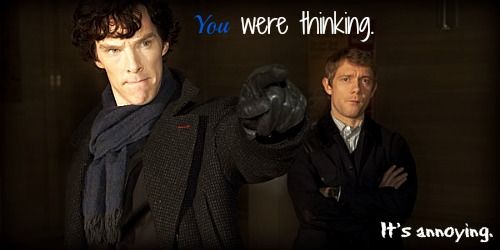
Alrighty, so, I was looking for a Sherlock picture to make into a banner, found one and started messing around with it when Watson noticed. She immediately went: "Ooh! I love that picture! When you're done, I'm so gonna use that."
So here you are, Watson, two banners for ya! I'll probably be making an avatar out of it, too.

Watson2_zps7825926c.jpg


Watson3_zpsa4654a65.jpg


Personally I like the first one more. And I just love John's face! It looks like he's chewing gum or something, lol.

EDIT: Alright, here are the avatars I've made:

Watson4_zps7d23de6e.jpg


Sherlock1_zps84777bf3.jpg
 
Last edited:
Hi Rainshadow. I decided to visit your thread and I see a lot of potential in your graphics!

Two things I really like about your graphics are first, that you use high-quality pictures and second, your graphics have some really good effects done on them.

As a fellow graphic designer, I'd like to offer you some advice; feel free to completely ignore it:

1) With your word placement try not to put words over the main focal point; Instead put it in an open and contrasting area of the image. This graphic for example: http://i1352.photobucket.com/albums/q656/MoonfishParachutist/AdamYoung2_zpsa99c962d.jpg Has really good placement in the top middle, but the words below just don't fit in. Either take them out, or completely take one of the Adams out, and put the words in his place (here's an example: http://www.narniafans.com/forum/attachment.php?attachmentid=11285&stc=1&d=1343330167)

2) Try changing up the font a bit. In most of your graphics you have a basic italicized text. Think of commercial graphics though: They often use custom fonts. (Example: http://www.narniafans.com/forum/attachment.php?attachmentid=11151&stc=1&d=1341707436) You can find some really amazing fonts at this website: http://www.dafont.com/

3) Try not using too vivid text colors. Orange was the color I always used to use, but it looks really unprofessional and takes the quality away from a picture. Instead, try picking a color that is close to a prominent or contrasting color in your picture (example: http://www.narniafans.com/forum/picture.php?albumid=638&pictureid=10493) In this picture: http://i1352.photobucket.com/albums/q656/MoonfishParachutist/AdamYoung3_zpsbd99699f.jpg maybe a red (like the red in his tie) would make a really good text color?


I really hope you take my advice. I see a lot of potential in what you've made so far, and I really want you to get better. I'm in no way trying to judge your graphics and, from my experience, am simply adding my advice.

Good luck in your future graphics!

 
Back
Top