
QueenLucyTheValient
New member
GIMP Tutorial 1
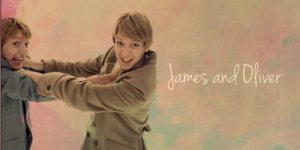
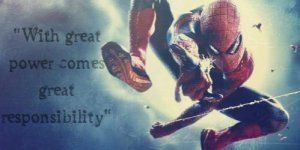
I used this image in my graphic. As you know, Ive been in a really big Phelps Twins mood

First open up your image. I shouldn’t have to say this, but in all of the other tutorials I have seen, they have said that, so whatevs..
Flatten the image. (Go to Image>Flatten Image)
Open a new layer and fill it with color 131347 (on the side bar with all the little symbols, at the bottom, should be these two color thingys. Clich the top one and imput the # into the text ‘box’ ) Set layer to Screen 100%.
Duplicate layer twice, so you have three layers of 131347. Set the last one to Subtract 100%
Flatten image again.
Open this texture, position it to your liking, and set it to Burn 100%: http://i1101.photobucket.com/albums...tleMagnificent/Textures/_splatt_texture_6.png
Open a new layer and fill it with ead993. Set to Soft Light 100%
Open this layer and set it to Burn 42%
http://i1101.photobucket.com/albums/g434/TheValientJustGentleMagnificent/Textures/grunge05.jpg

Finally, I added this texture and set it to Screen 100%: http://i1101.photobucket.com/albums/g434/TheValientJustGentleMagnificent/Textures/22.png

Flatten image.
I decided to call it good at this.
I used this image in my graphic. As you know, Ive been in a really big Phelps Twins mood
First open up your image. I shouldn’t have to say this, but in all of the other tutorials I have seen, they have said that, so whatevs..
Flatten the image. (Go to Image>Flatten Image)
Open a new layer and fill it with color 131347 (on the side bar with all the little symbols, at the bottom, should be these two color thingys. Clich the top one and imput the # into the text ‘box’
) Set layer to Screen 100%. Duplicate layer twice, so you have three layers of 131347. Set the last one to Subtract 100%
Flatten image again.
Open this texture, position it to your liking, and set it to Burn 100%: http://i1101.photobucket.com/albums...tleMagnificent/Textures/_splatt_texture_6.png
Open a new layer and fill it with ead993. Set to Soft Light 100%
Open this layer and set it to Burn 42%
http://i1101.photobucket.com/albums/g434/TheValientJustGentleMagnificent/Textures/grunge05.jpg
Finally, I added this texture and set it to Screen 100%: http://i1101.photobucket.com/albums/g434/TheValientJustGentleMagnificent/Textures/22.png
Flatten image.
I decided to call it good at this.


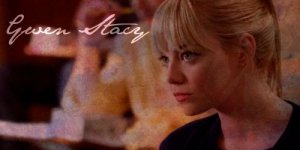
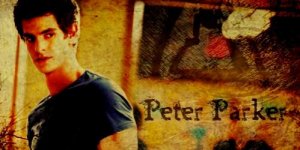
 . Other then that it's hard to read, I really can't take anything off. I mean, I can't even take off for the words! Just look at them, they compliment the graphic perfectly :-D 10-10
 .. Just put this one above the previous